
Corrupt Zip file repair tool
How to extract files from a damaged Zip archive
Step-by-step instructions for repairing data from damaged archives of the Zip / WinZip format of all versions. Extracting information from WinZip files whose size is no more than 4GB:
- Download, install and open the ZIP Repair Toolbox from our website: https://www.fix-toolbox.com/download/ZIPRepairToolboxInstall.exe.
- Select a corrupted ZIP archive.
- Select the files and folders you want to save.
- Select a folder to save the extracted data.
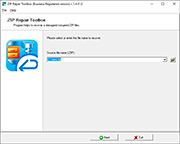
How to repair zip files damage?
Main features of the corrupt WinZip repair tool include:
- Repair all zip archive types.
- Repair self-extracting archives.
- Repair files with incorrect CRC values.
- Corrupt zip file repair tool supports selective saving of restored files.
- CRC zip repair tool supports archives larger than 2 GB.
- Compatible with Windows 98, NT 4.0, 2000, Me, XP, Vista, 7/8/8.1 and Windows 10.
Note: The software team development of Zip Repair Toolbox accepts all donations so users may get rid of its restrictions as soon as the first payment arrives. As you see, it is not some kind of free tool or open source solution, it is not distributed under GNU General Public License (GPL). Feel free installing Zip Repair Toolbox on your computer, get to know how it works and is it really possible to rebuild WinZip archives.
System requirements: Windows 98 and above